Easing
Easing controls how property values transition between keyframes, creating natural, expressive motion. Lottie Creator provides powerful easing tools including preset curves and a visual bezier curve editor.
What is Easing?
Easing (also called timing functions or interpolation curves) determines the rate of change between keyframe values.
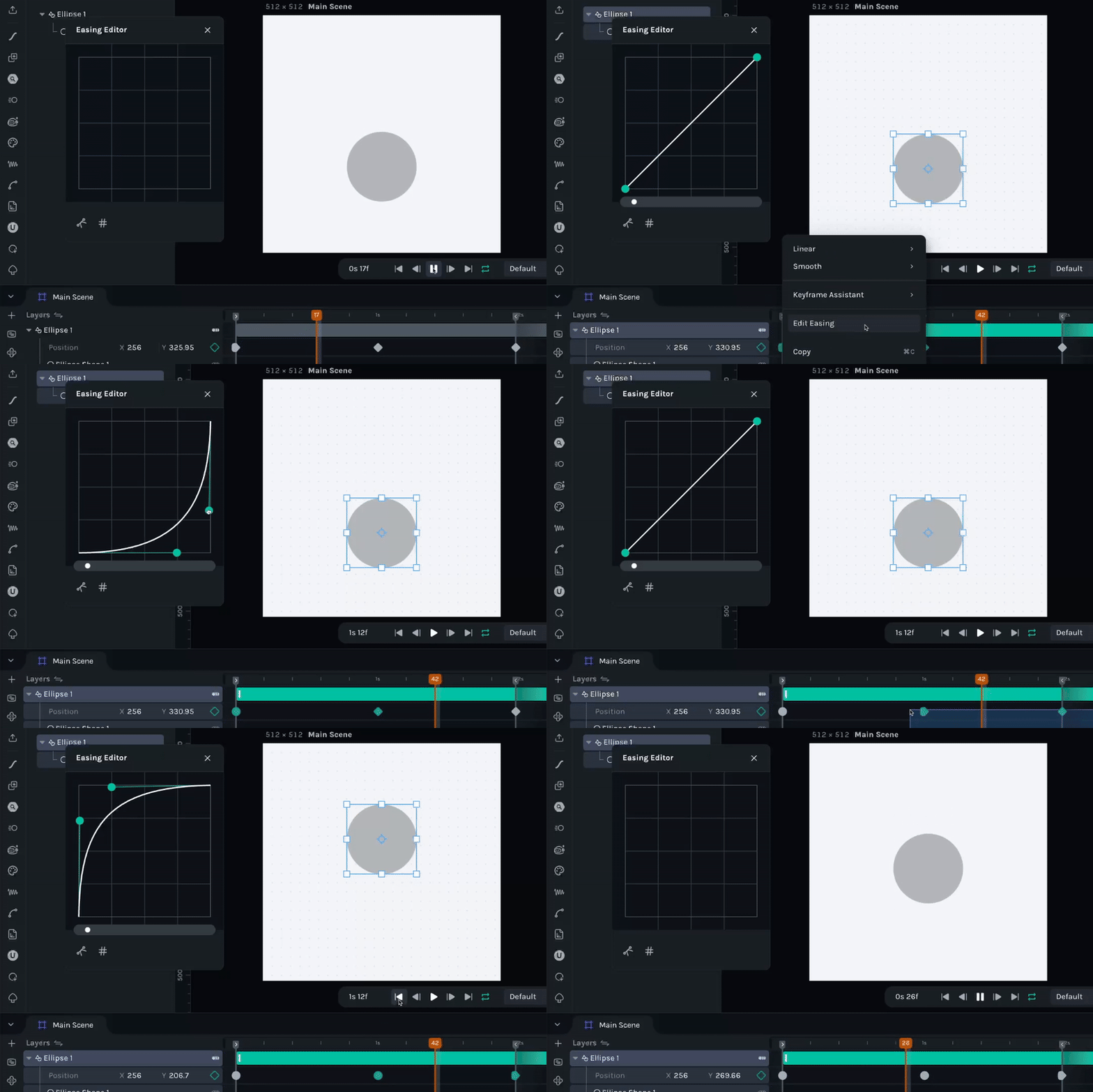
Linear vs Eased Motion
Linear Easing:
- •Constant speed from start to finish
- •Value changes at uniform rate
- •Mechanical, robotic feeling
- •Graph: straight diagonal line
Eased Motion:
- •Variable speed (acceleration/deceleration)
- •Natural, organic movement
- •Starts slow, speeds up, or slows down
- •Graph: curved line (bezier curve)
Easing Types
Lottie Creator provides separate easing control for incoming and outgoing tangents.
Tangent Types
Linear:
- •No easing curve
- •Constant speed
- •Sharp transitions
- •Icon: Sharp corner
Smooth (Bezier):
- •Custom bezier curve
- •Variable speed
- •Natural motion
- •Icon: Rounded corner
Easing Controls
Control easing through the property panel when keyframes are selected.
Property Panel Easing
Location:
- •Select keyframe(s) in timeline
- •Property panel shows easing controls
- •Separate toggles for In and Out tangents
Tangent Toggle Buttons:
- •Linear button - Sharp, constant speed
- •Smooth button - Bezier curve, variable speed
- •Toggle independently for In and Out
Edit Easing Button
Easing Editor:
- •"Edit Easing" button opens bezier curve editor
- •Visual interface for custom curves
- •Precise control over acceleration curves
Bezier Curve Editor
Visual tool for creating custom easing curves.
Control Points
Two Control Points:
- •Point 1 (x1, y1) - Controls beginning of curve
- •Point 2 (x2, y2) - Controls end of curve
- •Each point has X and Y coordinates
Display Format
Cubic-Bezier Notation:
cubic-bezier(x1, y1, x2, y2)Example:
cubic-bezier(0.42, 0, 0.58, 1)  // Ease In-Out
cubic-bezier(0.0, 0.0, 1, 1)     // Linear
cubic-bezier(0.68, -0.55, 0.265, 1.55) // Back In-Out
Last updated: September 11, 2026 at 12:08 PMEdit this page