Interactions
Interactions connect user events to actions in your state machine. Add clicks, hovers, and pointer moves so layers can drive inputs and transitions.
Event types
- •Click – complete click/tap
- •PointerDown / PointerUp – press and release
- •PointerEnter / PointerExit – hover start/end
- •PointerMove – pointer position updates
Layer requirements: the layer must be visible, unlocked, and have a fill (transparent strokes don’t receive clicks). Use
layerName to target a specific layer; leave blank to listen on the whole animation.
Add an interaction
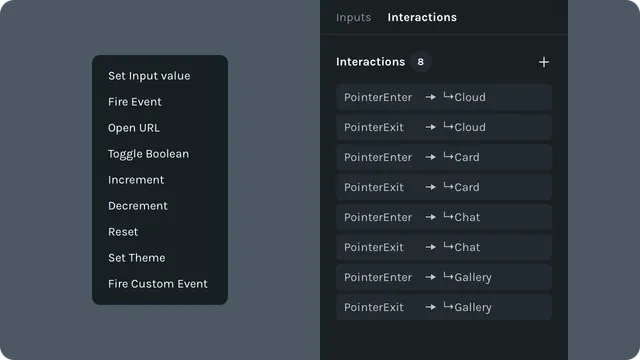
Open Interactions on the right side panel.
Click + and pick the event type.
Set layer Name for layer-specific targeting.
Add actions (set/toggle inputs, fire events, etc.).
Tips and Tricks
- •Make sure to use good layer naming practices so the logic is easy to follow.
- •
All layers under the pointer will detect the pointer event, even if they are obscured by other layers.
Applies to: Lottie Creator (Web), dotLottie state machines
Last updated: October 8, 2026 at 10:45 AMEdit this page