Motion System
Motion System is a design system for motion. With it, you can create a set of reusable motion patterns and apply them to your animations, ensuring consistency and efficiency across your animations.
Motion System in LottieFiles Platform
Motion Systems are created and managed in the LottieFiles Platform.
If this is your first time using Motion Systems, you will see a button to create your first motion system.
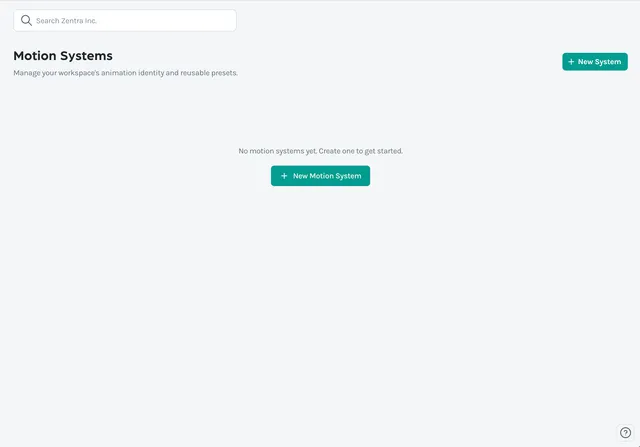
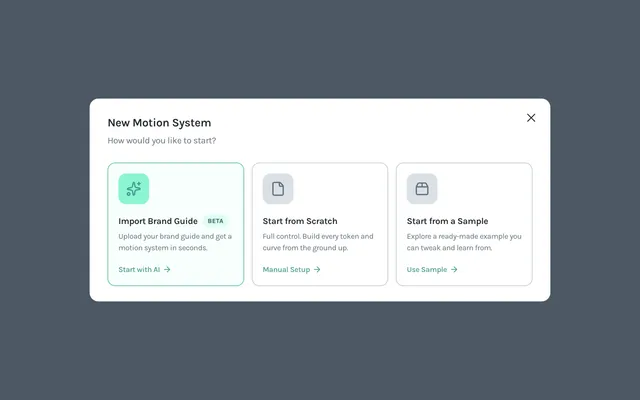
Here you can select from two options; import a PDF of your design system to be analyzed by our AI to create a motion system for you, or create a new motion system from scratch.
From there, you can create and manage Sections. Sections are a collection of elements that can be applied to your animations. They include the following elements:
Colors
Easings
Fonts
Motion Presets
Assets, including images and Lottie animations
As well as Documentation for notes and guidelines.
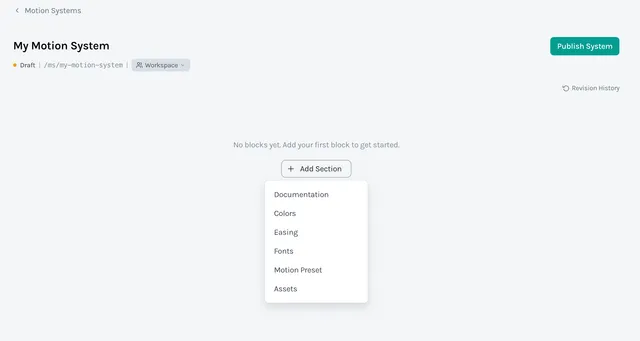
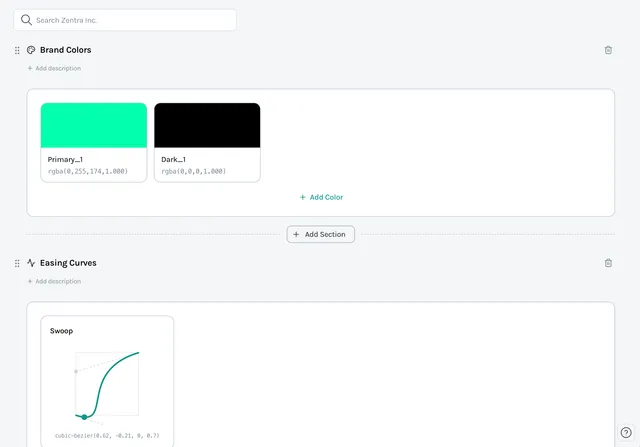
Motion Presets can be added to your Motion System from here, but they cannot be created in the LottieFiles Platform and instead need to be created in Creator via the Motion Presets plugin.
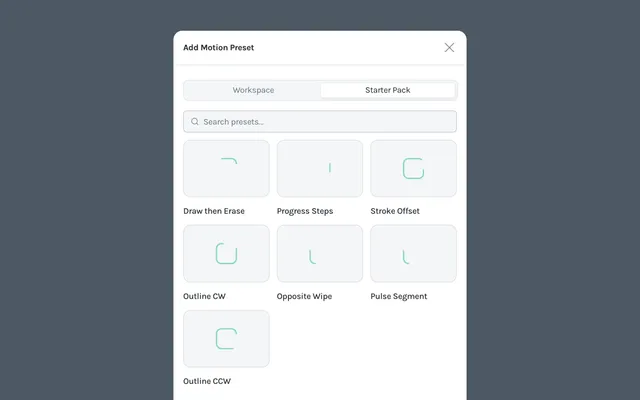
When you are finished, you can publish your motion system to make it available to your team.
Motion System in LottieFiles Creator
Motion Systems can be used in Creator via the Motion System plugin. If you don't have a Motion System, you can click the button to take you to the LottieFiles Platform to create one.
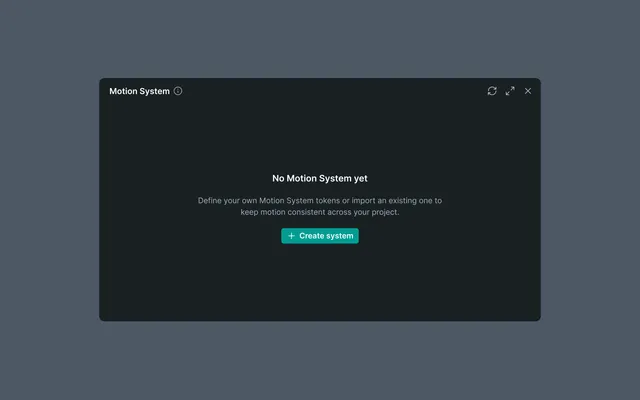
If you have a Motion System, you can select it from the dropdown and it will be available in the Motion System plugin.
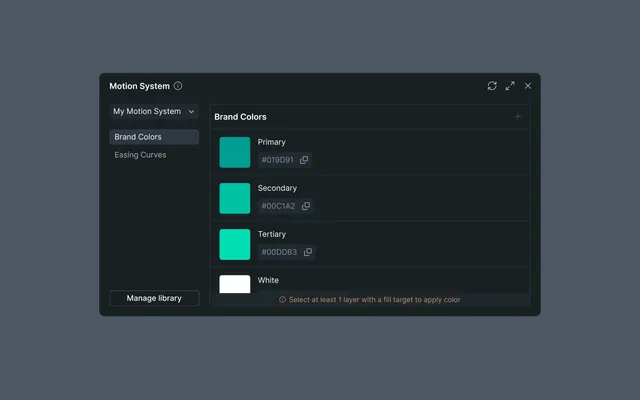
Once you have selected a Motion System, you can start using it in your animations. In the above image you can see that I have the Brand Colors section open. However, there is an info message that tells me I need to select a layer with a fill color to apply the colors to. This is because I don't yet have anything selected. So let's select a layer with a fill color and apply the colors to it.
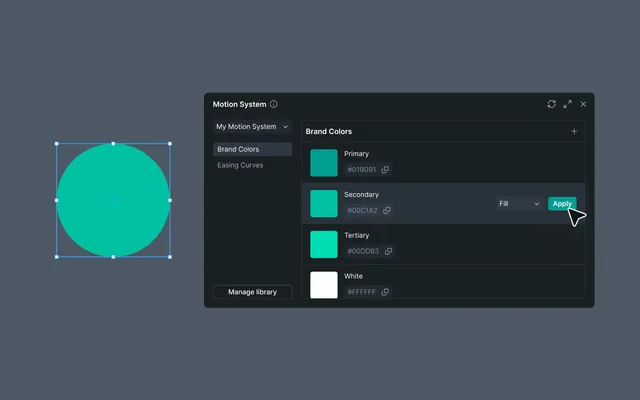
Here we can see that the info message has disappeared and there is an "Apply" button that appears when I hover over the color. Clicking this button will apply the color to the selected layer.
The rest of the sections work in a similar way. However, Motion Presets cannot be created in the LottieFiles Platform and instead need to be created in Creator via the Motion Presets plugin.
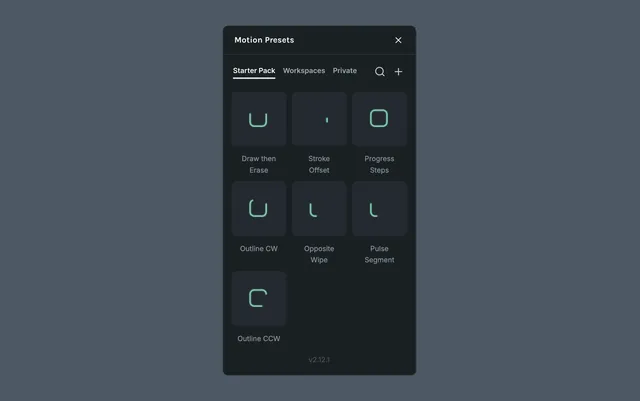
After creating a new Motion Preset in the Motion Presets plugin, you can add it to your Motion System from the Motion System plugin.