Text Properties
Text properties control the content, typography, and layout of a text layer. All text editing and styling happens in the Properties panel.
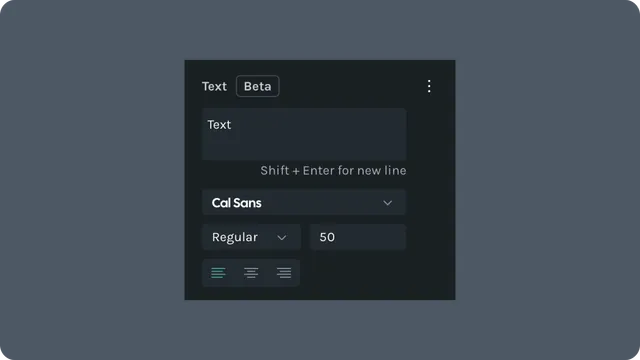
Edit Text Content
Select a text layer
Update the value in the Text field
Use Shift + Enter to create a new line
Changes are applied immediately.
Typography
Text layers support common typography controls.
You can configure:
- •Font family
- •Font weight
- •Font size
- •Text alignment (left, center, right)
Typography values can be animated over time using keyframes.
Transform and Layout
Text layers support standard transform controls:
- •Position (X and Y)
- •Scale (horizontal and vertical)
- •Rotation and skew
- •Anchor point
These properties behave the same as other layer transforms and can be animated or driven by states.
Appearance
Text color and opacity are controlled in the Appearance section.
- •Fill color can be animated
- •Opacity affects the entire text layer
- •Blend modes follow standard layer behavior
Last updated: October 8, 2026 at 10:45 AMEdit this page