Premium Assets
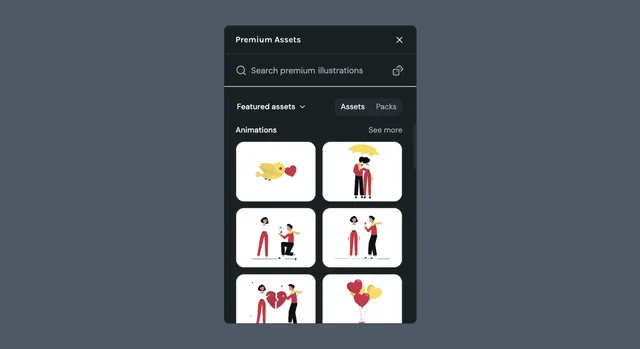
The Premium Assets plugin gives you in-editor access to the full LottieFiles premium library. Insert any animation, illustration, or icon directly into your scene without leaving Creator.
What it helps you do
- •Browse the LottieFiles premium library without leaving Creator
- •Filter by category or asset type to find the right asset fast
- •Insert SVGs or Lotties into your active scene at the right size, ready to animate
How it works
Click the Premium Assets icon in the left sidebar
Browse the library by category, or filter by asset type
Click an asset or pack to insert it into your active scene
Edit or animate it like any other layer
Browsing the library
Premium assets are organized two ways:
By category
- •Featured — handpicked highlights from the library
- •Popular — what other creators are using most
- •Recent — newest additions to the library
- •All assets — the full library, unfiltered
By type
- •Animations — Lottie files with motion baked in
- •Illustrations — editable vector artwork
- •Icons — small, single-concept assets for UI
Assets and packs
You can insert either individual assets or full packs. Packs are curated bundles that share a theme or visual style — useful when you need a matching set.
Access and licensing
Access to premium assets follows your workspace plan. Paid plans include unlimited use of premium animations and SVGs in commercial projects. Reselling or redistributing the assets is not permitted.
Tips
- •
Drop in SVGs when you need editable vectors; drop in Lotties when you need motion already baked in
- •Combine with Motion Presets to animate static premium SVGs in seconds
- •Browse packs when you need multiple assets with a consistent look