Inputs
Inputs are the variables that power dotLottie state machines. Use them to store interaction state, compare values in guards, and drive data-backed animations.
Input types
Boolean — on/off flags (isHovered, menuOpen).
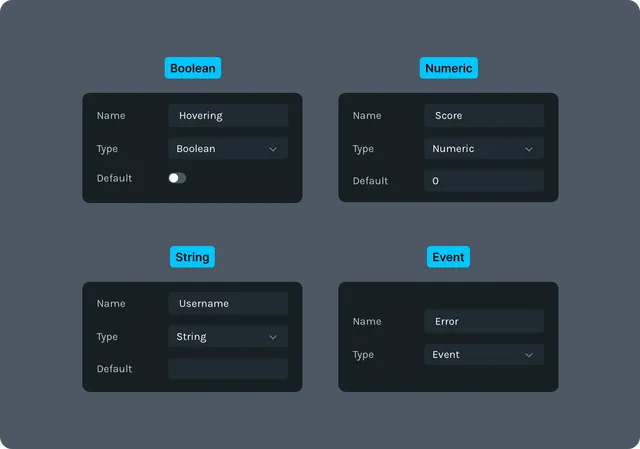
Numeric — numbers for progress, scores, ratings. String — mode or label values (case-sensitive). Event — one-shot triggers that fire and clear.
Use $otherInput in guards or actions when you need to compare against another input’s current value.
Add inputs
Inputs can be created on the right side panel in State Machines mode.
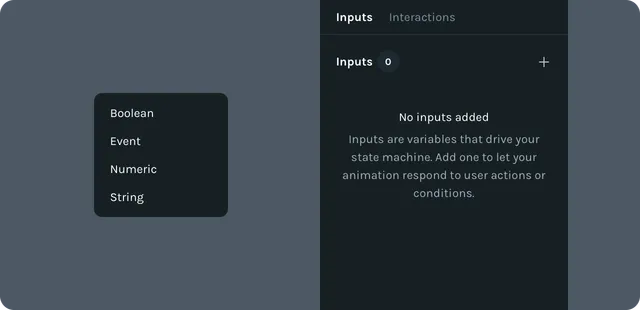
Open Interactivity → Inputs.
Click + Add Input.
Choose type (Boolean, Numeric, String, Event).
Set the name and initial value (Events don’t store a value).
Name inputs clearly (isHovered, rating, currentMode). Avoid generic names like value1.
Use inputs in transitions and actions
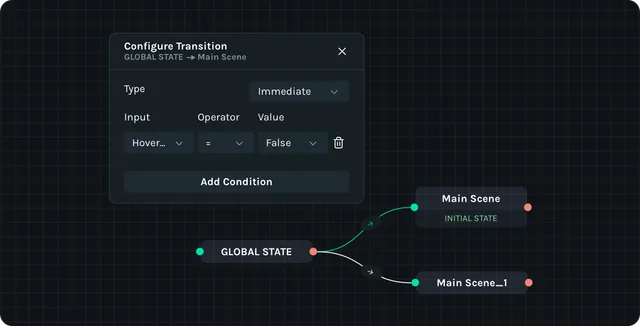
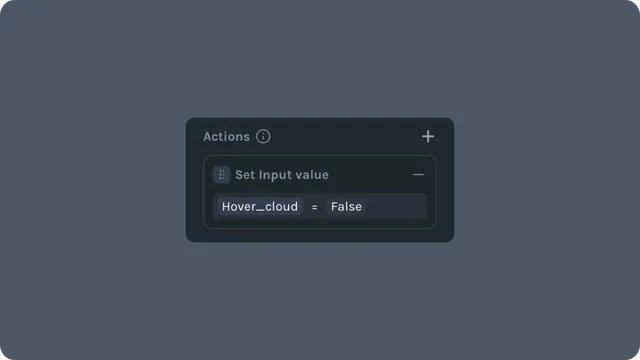
Inputs can be used in the guard conditions on the transitions between each state. They can be updated via actions on states or interactions.
- •
Guards read inputs:
- •
Boolean:
isHovered = true - •
Numeric:
progress >= 50 - •
String:
mode = "dark" - •
Event: guard fires once when the event is posted
- •
- •
Actions update inputs:
- •
SetBoolean / Toggle for flags
- •
SetNumeric / Increment / Decrement for counts and progress
- •
SetString for modes or labels
- •
Fire for Event inputs
- •
Set inputs from your player
Inputs don't just have to be updated via the state machine logic. They can also be updated by the developer in code. This is useful for connecting the state machine to real-world data and events.
player.setStateMachineNumericInput("progress", 75);
player.setStateMachineBooleanInput("isActive", true);
player.setStateMachineStringInput("theme", "dark");
player.fireStateMachineEvent("submit");
Tips and Tricks
- •
There are many ways to achieve most outcomes. Try to think of the best way for your specific goal, but don't get lost in the possibilities.
- •
Booleans can be named as a continuous verb (isHovering, isDragging) to help you understand what they're supposed to be measuring later. (e.g. Is it hovering? True/False)
- •Events can be named on____ (onLoad, onError) to signify that they fire once at a time.
- •
Naming conventions are just suggestions; ultimately you may find a better option depending on the situation.
Applies to: Lottie Creator (Web), dotLottie state machines