Access & Sign In
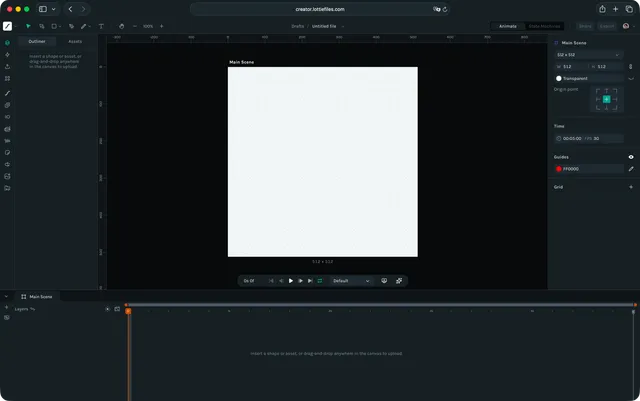
Lottie Creator is a browser-based animation editor — there is nothing to install. To begin, go to https://creator.lottiefiles.com/. To export an animation, you will need a LottieFiles account. This page explains how to open Lottie Creator, sign in, and understand your workspace environment.
Opening Lottie Creator
Step 1: Open Lottie Creator
Visit https://creator.lottiefiles.com/ in any modern desktop browser.
💡 Lottie Creator runs fully online, so there is no installation or setup required.
Step 2: Sign In or Sign Up
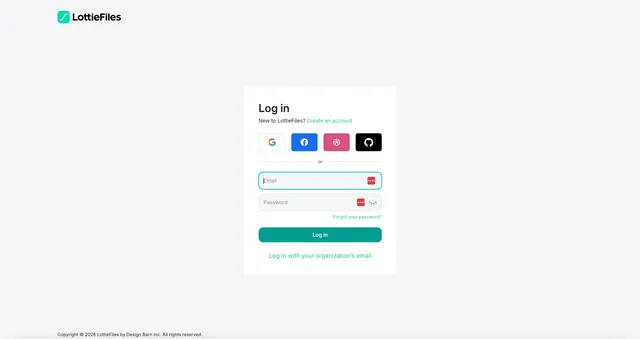
If you already have a LottieFiles account, sign in using your existing credentials.
Your files, workspace and shared team projects will be available immediately after login.
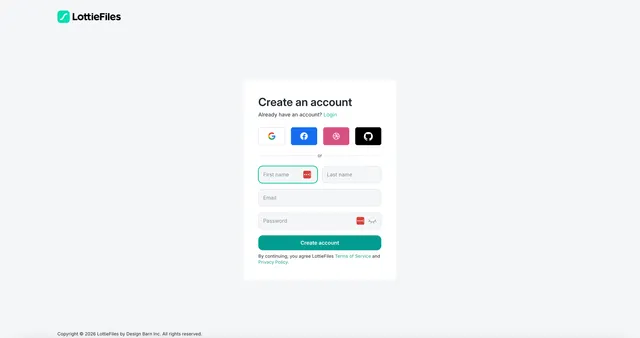
If you do not have a LottieFiles account yet, you can create one for free.
You can sign up using:
- •GitHub or GitLab
- •Enterprise SSO for organizations using LottieFiles for Teams
Once you are signed in, you can start creating animations right away.
Workspace Access Overview
After signing in, you will have access to:
- •Personal Workspace: Your private files and projects
- •Team Workspace: Available if your organization uses LottieFiles for Teams
- •Shared Files: Files shared by colleagues or collaborators
- •Recent Files and Autosaved Drafts
Lottie Creator automatically syncs your work to your LottieFiles account, keeping your assets accessible from any device.
Cloud Sync and Autosave
Lottie Creator continuously saves your edits in the cloud.
This enables:
- •Automatic version updates
- •Cross platform file access through LottieFiles
- •Smooth handoff between Creator and the LottieFiles asset manager
Accessing Lottie Creator from Other Tools
You can also open animations directly in Lottie Creator from:
- •Figma (via LottieFiles plugin)
- •Adobe After Effects (via LottieFiles plugin)
- •Framer
- •Webflow
- •Canva
These integrations allow you to import animations, edit them in Creator and sync changes back into your primary design tool.
Browser Requirements
Lottie Creator works best in modern browsers that support:
- •WebGL for real time vector rendering
- •IndexedDB for local storage
- •Web Workers for background processing
- •Canvas API for drawing and animation
Recommended Browsers: Chrome, Firefox, Safari or Edge
Use the most recent version for best performance and compatibility.
Supported Devices
Lottie Creator is designed for desktop use.
- •Works best on laptops and desktop computers
- •Not recommended for mobile or tablet browsers
- •Ensure that GPU acceleration is enabled in your browser for optimal performance
Network Requirements
Lottie Creator uses cloud storage and real time syncing.
For best results:
- •Use a stable internet connection
- •Organizations with VPN or firewall rules may need to ensure LottieFiles domains are accessible
Logging Out and Switching Accounts
You can switch accounts or log out using the account menu located in the top right corner of the interface.
This allows you to move between personal and team accounts easily.