States
States define how your animation plays when the state machine is in a given mode. Link states to timeline segments, set playback options, and add entry/exit actions.
State types
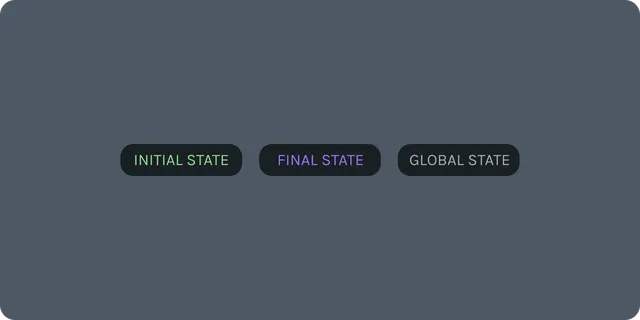
Playback State – standard state linked to a segment; controls autoplay, loop, speed, direction, entry/exit actions.
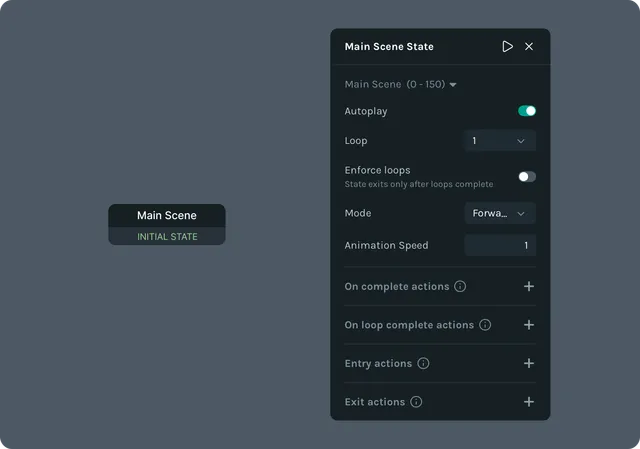
Playback States can also be denoted as Initial or Final.
- •Initial – the state the machine originally starts in (one per machine).
- •Final (optional) – terminal state; no outgoing transitions.
Global State – transitions are evaluated from any state; use sparingly for global escape/redirect logic.
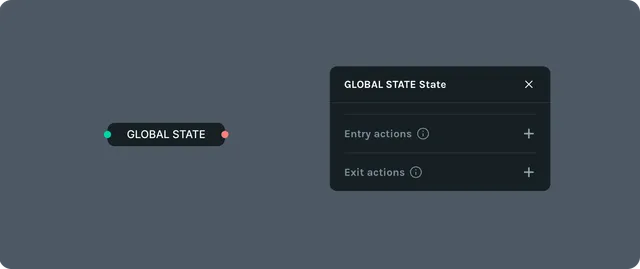
Each state has Entry and Exit nodes, represented as green and red dots. These are the connection points to other States.
Add and configure states
States are the nodal representation of Segments. You can think of them as essentially the same thing. That means in order to create a state, you must create a segment.
From Animate Mode, define a segment.
Go to State Machines Mode and drag your segment onto the State Canvas. This creates a State.
You can rename the State and create multiple instances of the same state.
(Optional) Add entry/exit actions to set inputs, fire events, or control playback.
Click and drag the entry or exit nodes to connect to other States.
Tip: Use descriptive names (Default, Hover, Pressed, Error) so the graph is easy to read.
Actions
- •
On complete actions: run when the state finishes all loops and is ready to transition out. This will run even if the conditions for exiting have not yet been met.
- •
On loop complete actions: run when a loop has completed. If set to loop a number of times, then this action will run each time.
- •
Entry actions: run when the state begins, usually immediately after it has been transitioned into from another state (or at the start of the state machine if Initial State).
- •
Exit actions: run when leaving the state, meaning it will only run when all conditions for transitioning to another state have been met. Note: Actions run in order from top to bottom.
Tips and Tricks
- •
Global State should be used when you want the machine to choose between multiple outcomes in parallel.
- •States should be properly named to avoid confusion.
- •
In a list of actions on a state, if an action triggers the conditions to transition to another state, then actions that are set after it in the list may not run.
Applies to: Lottie Creator (Web), dotLottie state machines