Premium animations
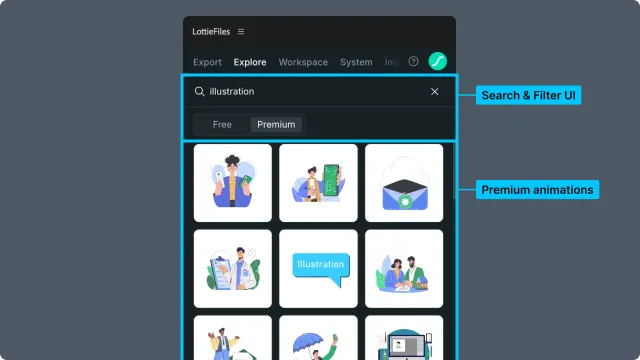
The Premium tab in Explore surfaces curated, professionally produced Lottie animations available under a separate license. This page covers what's in the Premium library, how it differs from the free public content, and what to know before importing a Premium animation into client work.
How to access this
Open the LottieFiles plugin in After Effects.
Click Explore in the top tab bar.
Click the Premium tab.
What's in Premium
Premium animations are produced or curated by LottieFiles and partners, organized into themed collections. Browsing is similar to the Free tab — search, scroll, preview — but the inventory is smaller and more polished, oriented toward production-ready use.
Licensing
Premium animations are licensed for commercial use under the LottieFiles Premium plan. The terms differ from the free public library:
Free public animations — license varies by creator. Many use Creative Commons (with or without attribution); some are royalty-free; some have creator-specific terms. Always check the license on the individual animation's page before commercial use.
Premium animations — included with a Premium subscription; commercial use covered.
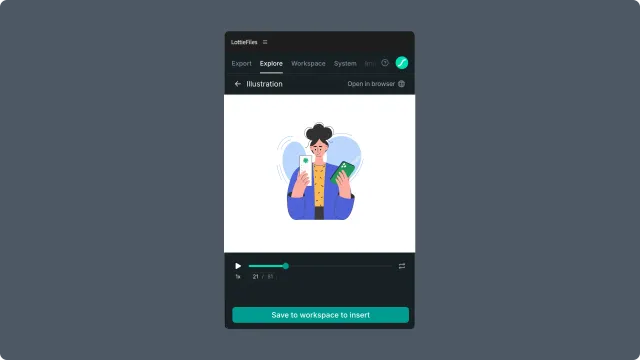
Always check the license details on the animation's preview page before shipping in client work. The plugin's preview surfaces license information when applicable.
Tips for motion/product designers
Use Premium for hero animations, free library for utility (loading, success indicators, micro-interactions). Premium content is denser and more brand-distinctive — overusing it makes interfaces feel busy.
Preview the Lottie in your destination runtime before committing. Premium animations sometimes use newer Lottie features that older runtimes don't support — run them through the Feature checker first.
Save before editing. When you customise a Premium animation, save the original to your workspace so you can fall back if changes go wrong.
Related
Finding animations — search and browse mechanics.
Previewing and importing — the insertion flow.
Feature checker — verify runtime compatibility before shipping.