Exporting interactive state machines
Export supported Figma prototype interactions as an interactive dotLottie state machine.
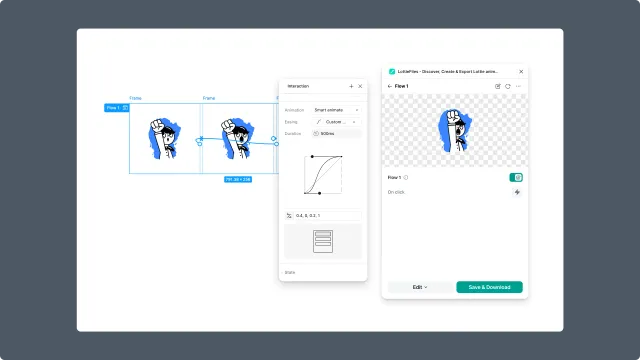
Interactive export turns supported Figma prototype interactions into a dotLottie state machine. Use it when the animation needs to respond to user input in the final product.
Before you start
Build a Figma prototype with supported interaction triggers.
Use interactions such as click, hover, press, mouse enter, mouse leave, mouse down, mouse up, or after delay.
Avoid unsupported actions such as back, close overlay, open overlay, swap overlay, scroll to, or URL actions when you need state-machine export.
Plan to export as
.lottie.
Steps
Set up the prototype interactions in Figma.
Select the prototype flow or starting point.
Open the LottieFiles plugin.
Click Animate.
Preview the interactive behavior.
Export as dotLottie (
.lottie).
Important format rule
State machines are dotLottie-only. If you export the same work as Lottie JSON, interactivity is removed along with themes and motion tokens.
Handoff note
Tell developers that interactive exports need a dotLottie runtime rather than a plain Lottie runtime.