Utilities tab
Reference the local Upload, dotLottie Composer, and interaction Snippets utilities.
Utilities groups three independent developer tools. Use this page to identify the right one, then follow its complete task guide.
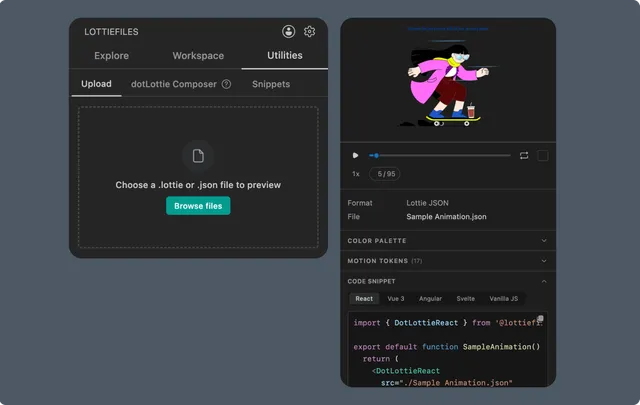
Upload
Upload opens a local .json or .lottie for preview. It does not upload the file to LottieFiles Workspace.
You can:
Browse for one local Lottie file.
Drag a file into the supported drop area when the IDE accepts operating-system file drops.
Reopen a recent file from the current session.
Remove an item from session history without deleting the original.
See Previewing local Lottie files.
For Creator files, images, SVGs, design sources, videos, or a durable team upload, use Workspace upload.
dotLottie Composer
Composer builds a .lottie bundle from several animations. It manages animation IDs, order, the initial animation, supported playback configuration, and metadata.
See Creating a multi-animation bundle.
Snippets
Snippets generates Scroll, Viewport, Hover, Hover Reverse, Click, and State Machine patterns for React, Vue 3, or Vanilla JavaScript.
When available, it uses the last CDN-enabled Workspace file as the source. Otherwise it leaves a placeholder URL. If the workspace disables CDN links, replace the placeholder with a project file or another durable source.
See Generating interaction snippets.
Tool map
| Utility | Input | Output |
| Upload | One local .json or .lottie | Session preview |
| dotLottie Composer | Several Lottie animations | Multi-animation .lottie bundle |
| Snippets | Pattern, framework, and animation source | Interaction code |