Figma Motion export
Export timeline animations made with Figma Motion from the LottieFiles plugin.
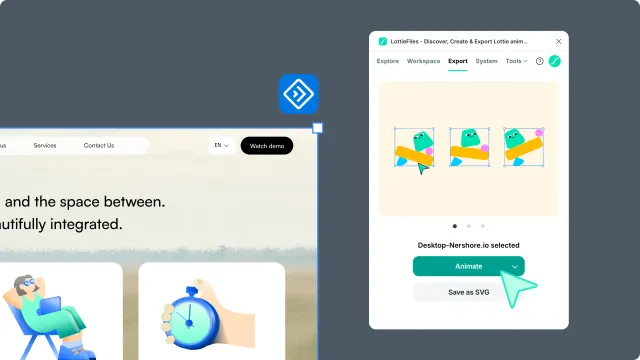
Figma Motion export turns timeline keyframes inside a selected Figma frame into Lottie animation. Use it when your motion is authored in one frame with Figma Motion, instead of being built from separate frames or prototype connections.
When to use it
| Use Figma Motion export when | Use another Figma to Lottie method when |
| You animated layers on a timeline in one frame | Your animation is built from separate frames |
| The motion is mainly position, opacity, size, corner radius, or color | You need click, hover, press, or other user-driven interaction |
| You want a timeline animation for a website, app, or product UI | You already have a Figma prototype flow with connected screens |
Choose Prototype Flow when the animation should follow a Figma prototype flow. Choose Interactive Lottie when the exported file needs to react to user input. Choose Multi Frames or Smart Animate-style setup when each frame represents a step in the motion.
Before you start
Select the frame that contains your Figma Motion keyframes.
Keep the animation inside one clear scene when possible.
Preview the export before handoff, especially for partial features.
Use the Export tab when you are ready to save or download the result.
Support levels
| Support | What it means |
|---|---|
| ✅ | The feature exports and should render as expected. |
| 🟡 | The feature can export, but the result may differ from Figma. |
| ❌ | The feature is not currently preserved in Figma Motion export. |
Some supported features are exported by recording the visible result over time. This helps with motion that does not have a direct Lottie equivalent, such as some layout or shape changes.
Motion support
| Feature | Support | Notes |
|---|---|---|
Single selected frame with Figma Motion keyframes | ✅ | The plugin reads keyframes from the selected frame. |
| Timeline duration | ✅ | Timing is preserved. |
| Multiple animated properties | ✅ | A layer can animate more than one property. |
| Linear and custom easing | ✅ | Easing is preserved where possible. |
| Hold easing | ✅ | Exports as stepped keyframes. |
| Spring easing | 🟡 | Exported by sampling the motion over time. |
Layer and shape support
| Feature | Support | Notes |
|---|---|---|
| Position and opacity | ✅ | Good choices for predictable motion. |
| Width and height | ✅ | Size changes are preserved. |
| Corner radius | ✅ | Rounded corner animation is preserved. |
| Rotation and scale | 🟡 | Custom pivot points may not match Figma exactly. |
| Individual corner radius | 🟡 | Different radius values per corner may vary. |
| Trim path | ✅ | Start and end animation is preserved. |
| Polygon point count | ✅ | Exported from the visible geometry over time. |
| Ellipse arcs and rings | 🟡 | Preview carefully before handoff. |
| Hidden layers | ❌ | Hidden layers are excluded from export. |
Style and effect support
| Feature | Support | Notes |
|---|---|---|
| Solid fill color | ✅ | Solid color animation is preserved. |
| Solid stroke color | ✅ | Stroke color animation is preserved. |
| Stroke weight | ✅ | Uniform stroke width animation is preserved. |
| Static gradients | 🟡 | Some gradient types can export, but should be previewed. |
| Animated gradients | ❌ | Gradient keyframes are not currently preserved. |
| Auto layout motion | ✅ | Exported from the visible layout result over time. |
| Complex layout changes | 🟡 | Grid or counter-axis changes may need simplification. |
| Drop shadow | ✅ | Shadow offset, blur, color, and opacity are exported. |
| Layer blur | ✅ | Figma Layer blur is exported. |
| Background blur and inner shadow | ❌ | These effects are not currently preserved. |
| Glass, texture, shader, and noise effects | ❌ | These Figma effects do not have a stable export mapping. |
Text, masks, and booleans
| Feature | Support | Notes |
|---|---|---|
| Text movement and opacity | ✅ | Text layers can move and fade like other layers. |
| Text rotation and scale | 🟡 | Pivot limitations can also affect text layers. |
| Static text appearance | 🟡 | Text may be converted depending on the export path. |
| Animated text content | ❌ | Text content keyframes are not currently preserved. |
| Masks | ✅ | Mask-based animation is preserved. |
| Boolean subtract | ✅ | Subtract animations can export. |
| Other animated boolean operations | ❌ | Union, intersect, and exclude are not currently preserved. |
Safer patterns
For the most predictable result, animate position, opacity, size, corner radius, stroke weight, and solid colors. Keep gradients static, use Layer blur instead of Background blur, avoid animated text content, and check rotation or scale in the plugin preview before handoff.
If a partial feature looks different in preview, simplify the animated property or rebuild that moment with a more supported pattern.