Figma to Lottie
Convert Figma frames, scenes, prototype flows, and interactive states into Lottie or dotLottie output.
Figma to Lottie turns a Figma scene into motion output. It is not a Bodymovin export from After Effects; it converts supported Figma structures into Lottie output.
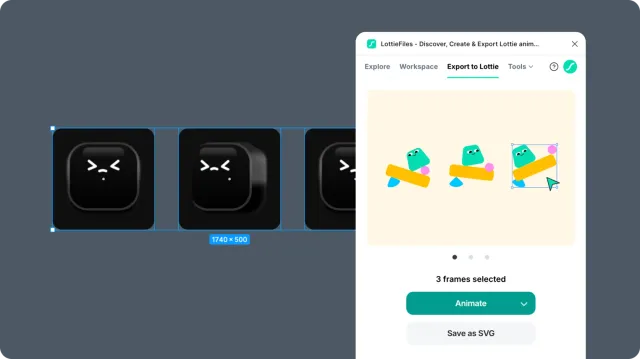
The most important decision is the starting point. A single selected frame, multiple selected frames, a prototype flow, and an interactive prototype are different workflows.
In this chapter
Choosing an animation method - decide between presets, multiple frames, prototype flows, and state machines.
Preparing your Figma scene - structure layers and frames to avoid render failures.
Timeline vs state machines - understand ordinary playback versus interactive prototype behavior.
Using presets - animate one selected frame quickly.
Exporting multiple frames - create a sequence from several frames.
Exporting prototype flows - turn a Figma prototype flow into animation.
Exporting interactive state machines - preserve click, hover, press, and similar interactions in dotLottie.
Motion tokens - carry runtime-controllable properties through the dotLottie export.
Figma to Lottie controls - reference controls in the export workflow.
Troubleshooting Figma to Lottie - diagnose failed or unexpected renders.
Interactive state machines require .lottie. Exporting the same work as Lottie JSON removes interactivity and other dotLottie-only features such as themes and motion tokens.