Explore
Search the public LottieFiles library and preview an animation before adding it to Canva.
Use Explore when you need a ready-made animation rather than a specific team asset.
Browse or search
Open Explore.
Browse the available categories, or enter a search term.
Refine the visible results with the filters and sorting options available to your account.
Select a result to preview it.
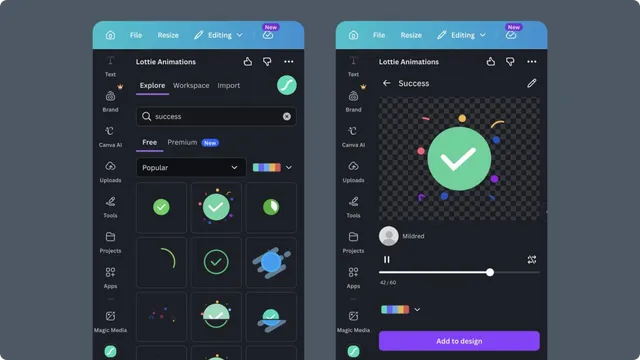
Search by purpose when the animation communicates a product state:
loadingsuccesspayment completeempty stateerrorupload
Search by visual language when it needs to match a design direction, such as outline, geometric, or minimal.
Free and Premium results
Explore can include free and Premium animations. Premium availability depends on the connected LottieFiles account and plan. If a result is locked, choose another animation or follow the upgrade action shown in the app.
Preview before inserting
Play the complete animation and check:
The motion communicates the intended state.
The duration works in the Canva page or video.
The artwork remains legible at its intended size.
The palette works with the surrounding design.
From the preview, continue to recoloring or add the animation to your design.