Inserting workspace animations
Insert a saved LottieFiles workspace animation into a Figma scene.
Use Workspace insertion when the animation already exists in your team's LottieFiles library and you want to place it in a Figma scene for design context.
How to access this
Open the LottieFiles plugin in Figma.
Open Workspace.
Browse or search for the animation.
Open the file detail view.
Insert the animation
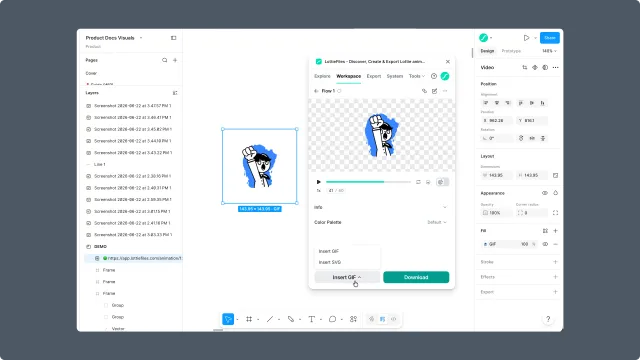
Click the insert action from the file detail view. The plugin places the animation into the Figma canvas.
Motion tokens
If the animation includes motion tokens, the file detail view shows a Motion Tokens panel where you can view tokens, edit their values, save the current values as a new theme, and insert the animation with those values applied. See Motion tokens for the full workflow.
After insertion, position and size the animation like any other design element in Figma. If the animation will ship in a product, keep the workspace asset URL or downloadable file as the developer handoff source.
When to use Workspace insertion
The animation has already been reviewed or approved.
The team needs one shared source of truth.
The design file should show the real animation, not a static placeholder.
A developer will later need the same asset from Workspace.