Previewing and customizing
Inspect playback, renderer, and background before inserting an animation into Webflow.
The app preview is a preparation surface, not the final Webflow runtime. Use it to make an intentional insertion, then test the resulting element in Webflow Preview and on the staging site.
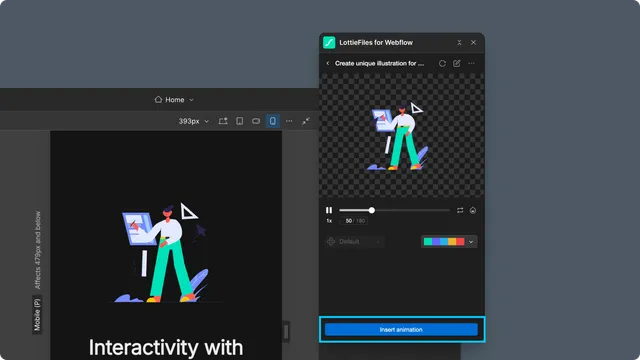
Inspect playback
Play and pause the animation.
Scrub the timeline to inspect individual moments.
Toggle loop when the experience should stop after one pass.
Cycle through available playback speeds.
Check the artwork on a transparent and representative page background.
Choose a renderer
Automatic uses the renderer associated with the source and required features.
SVG Player is suitable for ordinary Lottie JSON playback.
ThorVG Player previews dotLottie features such as multiple animations, themes, and state machines.
The app warns before switching an advanced file to SVG Player because those features may not survive the change.
Use Lottie Creator for structural changes
Open the animation in Lottie Creator when you need to edit layers, timing, keyframes, easing, themes, or state-machine structure. Save the result to the intended Workspace location, return to Webflow, and insert the reviewed version.