Finding animations
Search and evaluate public Lottie animations before adding them to Webflow.
Search by the job the animation must do, then evaluate it in the page context where it will be published.
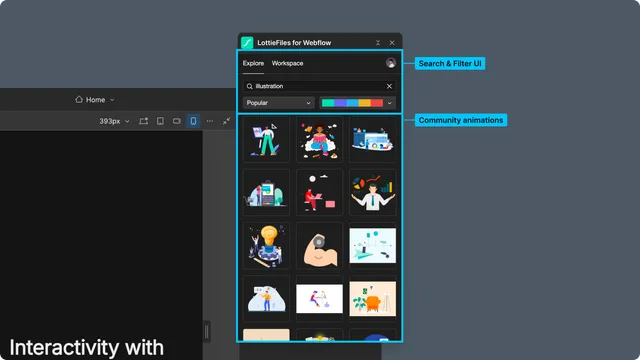
Browse and search
Open Explore.
Browse Featured, Popular, or Recent results, or enter a search term.
Refine search results with the available sort options.
Select a result to open its preview.
Use focused phrases such as checkout success, empty state, uploading, or scroll indicator instead of broad visual terms alone.
Evaluate the preview
Check the complete loop rather than the thumbnail alone:
The motion communicates the intended state.
The duration and loop do not distract from page content.
Fine details remain legible at the intended element size.
The background and palette fit the responsive page.
The file does not rely on advanced custom-code playback unless the experience needs it.
If the animation is close but not ready, recolor it or open it in Lottie Creator before inserting it into the page.
Keep production sources intentional
A public animation can be inserted directly. When a team needs review, ownership, or version history, save the result to the correct Workspace project first, then insert the Workspace copy.