Publishing your site
Preview, publish, and verify a Framer site that contains Lottie animations.
The plugin prepares the animation and inserts the player. Framer owns site preview, staging, production publishing, and domains.
Preview before publishing
Open Framer Preview and test:
Desktop and mobile widths used by the page.
The initial frame, full playback, and loop boundary.
Light and dark modes when themes are configured.
Pointer and touch paths for state machines.
Navigation away from and back to the page.
Page controls near or above the animation.
Publish
Review the changes in the Framer project.
Publish to a generated
framer.appURL or the team's staging environment.When approved, deploy the same reviewed version to production.
See Framer's current publishing guide for hosting, staging, production, and domain controls.
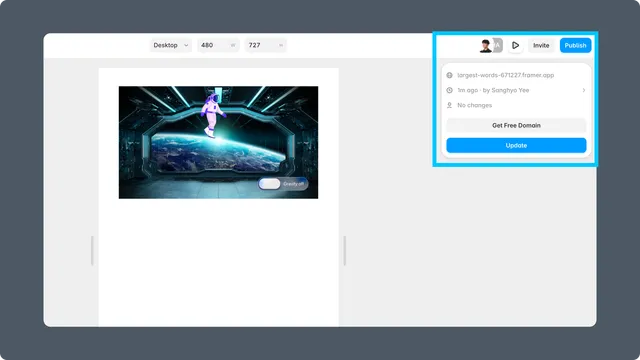
Verify the live page
Open the published URL in a clean browser tab. Confirm that the player source loads without authentication, the animation is not replaced by a blank frame, and interactive behavior matches Preview.
Repeat the check on a physical mobile device when the animation is important to navigation or conversion.