Inserting as GIF
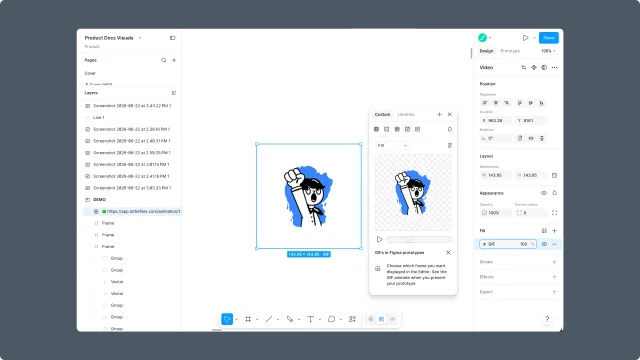
Insert an exported animation back into the Figma canvas as a GIF for design context and review.
Insert as GIF when you want the animation visible inside the Figma scene for design review, prototypes, or stakeholder context.
When GIF insertion helps
You need motion visible in a Figma mockup.
The design review happens inside Figma.
The final production file will be handed off separately as dotLottie (preferred) or Lottie JSON for legacy compatibility.
Steps
Generate the animation in Figma to Lottie.
Preview the result.
Choose Insert as GIF when available.
Position the GIF in the Figma scene.
Production note
A GIF is a raster preview format. It is useful in Figma, but it is not a substitute for a deployable .lottie or .json file.
Related
Last updated: October 8, 2026 at 10:45 AMEdit this page