Using presets
Animate one selected Figma frame with a preset and export it as Lottie or dotLottie output.
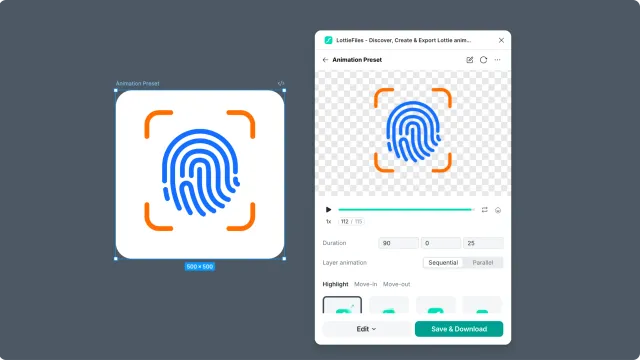
Preset animation is the fastest way to turn one Figma frame into motion. Use it for simple graphics that need a small entrance, loop, or emphasis animation.
Before you start
Select one frame in Figma.
Keep the frame simple.
Make sure the frame is not a prototype flow starting point if you want Preset mode.
Steps
Select the frame in Figma.
Open the LottieFiles plugin.
Click Animate.
Choose a preset.
Preview the result.
Export or save the animation.
When presets work best
Icons.
Logo marks.
Small illustrations.
Empty-state or success graphics.
Micro-interactions that do not need custom timing.
Related
Last updated: October 8, 2026 at 10:45 AMEdit this page