Canva
Find, customize, and add Lottie animations to Canva designs with the LottieFiles app.
The LottieFiles app for Canva lets you find, customize, and add lightweight animations to a Canva design without downloading and re-uploading each asset.
Start with a public animation from Explore, use an approved team asset from Workspace, or import your own Lottie or SVG. You can make a quick color change in Canva, then continue in Lottie Creator when the animation needs deeper editing.
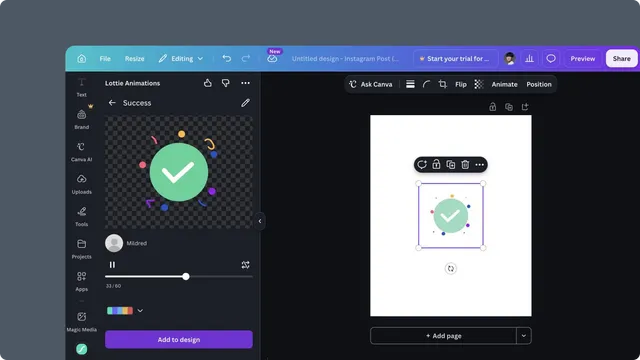
Fastest first success
Follow the Quickstart to find an animation in Explore, preview it, optionally recolor it, and add it to the current design.
Choose a starting point
| Start from | Use it when | Next step |
| Explore | You need to discover a public animation | Explore |
| Workspace | Your team already saved or approved the asset | Workspace assets |
| Import | You have a local Lottie file, direct URL, or SVG | Importing an animation |
Customize the result
Recolor an animation with a preset or custom palette.
Animate an SVG with a motion preset.
Open the animation in Lottie Creator for layer, timing, and motion changes.
Add it to Canva
Compatible animations can be added directly to the design. When Canva cannot insert the Lottie directly, the app can offer a GIF fallback. See Compatibility and GIF fallback.
Requirements
A Canva design where you can use apps.
A LottieFiles account for Workspace, Import, and account-connected workflows.
A current desktop browser for the full editing and Lottie Creator handoff experience.