Interface
Learn the Explore, Workspace, preview, and canvas-aware areas of LottieFiles for Webflow.
The app is organized around two animation sources. Both lead to a shared preview and an insertion action that uses the current Webflow page selection.
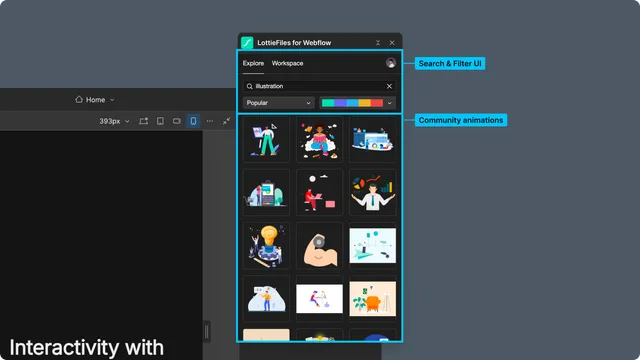
Explore
Use Explore for the public LottieFiles library. Search public animations, browse Featured, Popular, and Recent results, and open a result for preview.
Workspace
Use Workspace for private and team assets. Switch workspaces, open projects, collections, and folders, and choose the approved file for the site.
Animation preview
The preview can include:
Playback, seeking, loop, speed, and background controls.
SVG Player, ThorVG Player, or an automatic renderer choice.
Palette changes for supported artwork.
Child-animation selection for multi-animation dotLottie files.
Themes and state-machine controls when the file and account support them.
Insert animation, Save and insert animation, or another context-specific primary action.
Webflow page selection
The app requires a selected page element before insertion. Standard Lottie insertion uses the selection as the canvas insertion context. An advanced dotLottie player must be placed inside an element that can contain children, such as a Div block.
If an insertion fails, return to the page, select a suitable container, and try again without closing the prepared preview.