Configuring the player
Adjust an inserted LottieFiles player component in Framer.
Select an inserted LottieFiles player component to open its contextual preview and settings in the plugin. Layout properties remain in Framer; animation-specific controls remain with the player.
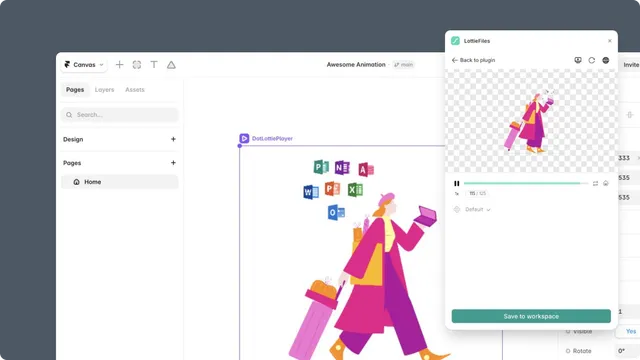
Playback
Autoplay starts the animation when the player loads.
Loop repeats an ordinary timeline animation.
Speed changes timeline playback speed.
Background can remain transparent or use an explicit color.
State-machine playback follows its state and transition logic instead of the ordinary timeline controls.
Source and renderer
The component stores the animation source URL. Use Automatic or ThorVG Player when the source relies on multiple animations, themes, or state machines. Use SVG Player only for files that do not need those dotLottie features.
Theme configuration
Choose a default theme and optional light and dark theme IDs. Verify color-mode changes in Framer Preview because the plugin preview does not reproduce every page-level condition.
Layout in Framer
Use Framer to control size, constraints, position, overflow, visibility, and breakpoint behavior. Keep the component's aspect ratio intentional and confirm that a parent Frame does not clip motion unexpectedly.