Exporting prototype flows
Export a Figma prototype flow as a Lottie animation with the LottieFiles plugin.
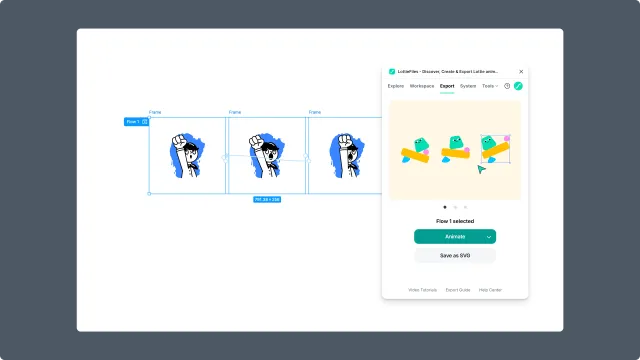
Prototype Flow export uses a Figma prototype flow as the source for the animation. It is useful when the motion is already designed through connected frames and transitions.
Before you start
Set a Figma prototype flow starting point.
Confirm the frames in the flow use supported features.
Keep layer structure consistent where transitions should interpolate.
Use after delay when you need timed automatic transitions.
Steps
Set up the prototype flow in Figma.
Select the flow starting point or the relevant flow source.
Open the LottieFiles plugin.
Click Animate.
Preview the generated animation.
Export or save the animation.
Prototype Flow vs Interactive State Machine
Use Prototype Flow when you want the flow to become a timeline-style animation.
Use Interactive State Machine when the final animation needs to keep user-driven interactions such as click, hover, or press. Interactive export requires .lottie.