Workspace
Use LottieFiles Workspace as a shared DAM, versioned handoff source, and CDN manager in VS Code.
Workspace brings your team's LottieFiles digital asset management workflow into the editor. It can hold Lottie and Creator files alongside images, SVGs, design source files, and supported media.
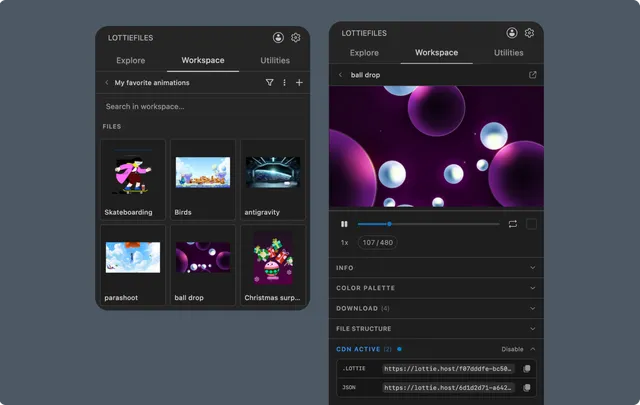
Workspace vs Explore
Explore is the public discovery library.
Workspace contains private, team, and project-owned assets.
System exposes approved Motion System primitives from the active workspace.
Use Workspace when version, ownership, project location, or a permanent CDN URL matters.
DAM capabilities
From the extension you can:
Switch between available workspaces.
Browse and search projects and nested folders.
Upload supported animation, Creator, image, design, and media files.
Create projects and folders when the plan allows it.
Rename or delete files and containers when permitted.
Preview supported animations and assets.
Download original or optimized variants.
Publish supported animation formats with CDN.