Explore panel controls
Reference the controls in the Explore panel, including search, free and Premium results, animation cards, and preview actions.
A reference for the main controls in Explore.
How to access this
Open the LottieFiles plugin in Figma.
Open Explore.
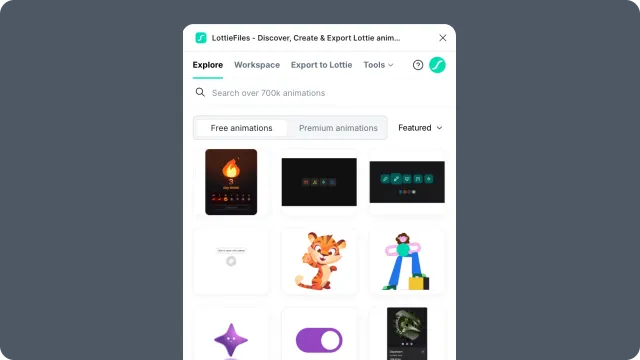
Header
Search - filters the visible animation library by keyword.
Free / Premium scope - switches between free public animations and Premium content where available.
Account area - shows sign-in or account actions needed for plan-gated content.
Animation grid
Animation card - visual preview for one animation. Open it to inspect playback and insertion options.
Pagination or loading controls - appear when more results are available.
Premium indicator - marks content that requires Premium access.
Preview view
Player - previews the selected animation.
Motion Tokens - appears when the animation includes tokens; view values, edit them, save as a new theme, then insert with those values applied.
Insert - places the animation into the Figma canvas.
Open in browser - opens the LottieFiles asset page when available.
Back / close - returns to the Explore grid.